|
Posted: 02 Mar 2016 12:50 PM PST
(Cross-posted on the Google for Work Blog.)
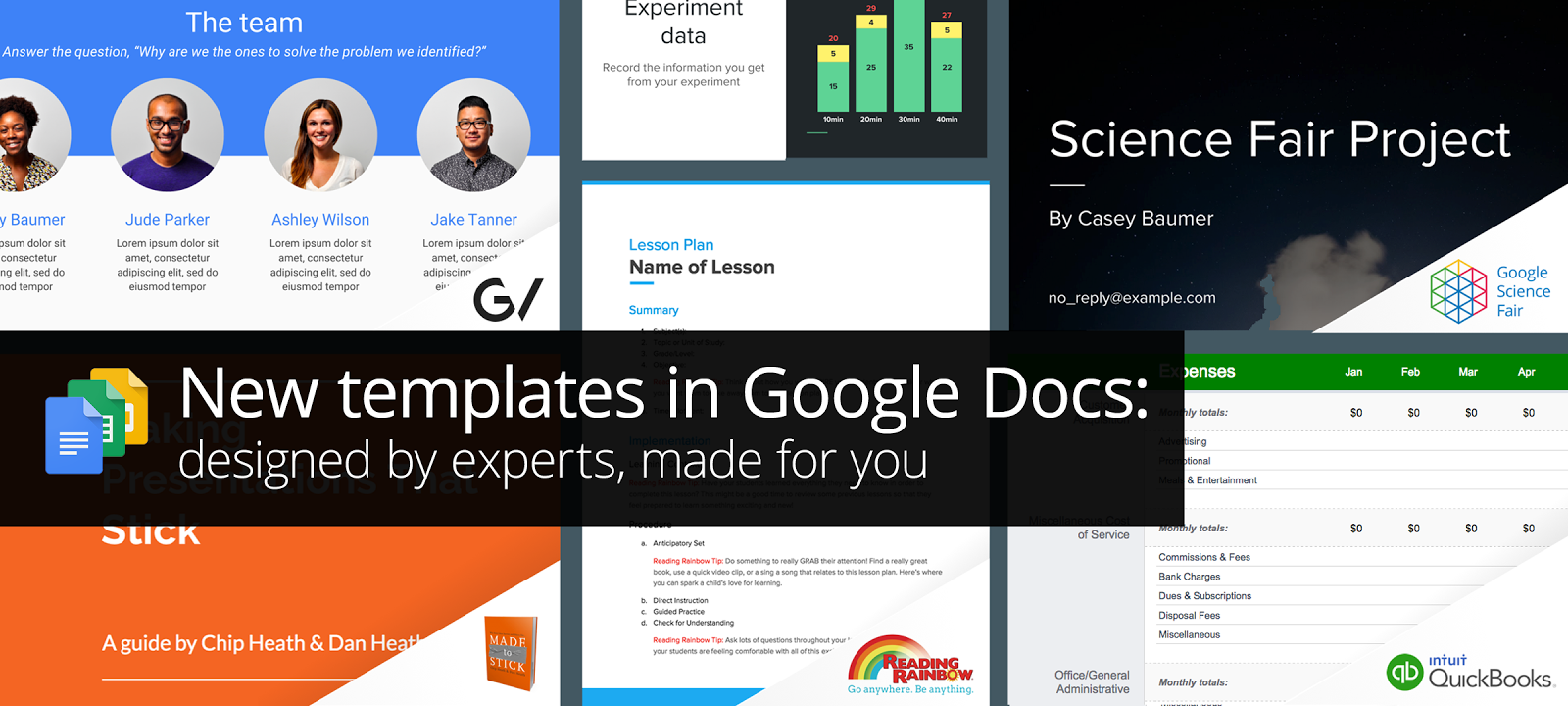
We launched a collection of templates in Docs, Sheets, and Slides in September to give your documents, spreadsheets, and presentations the extra polish they deserve. Today, we’re adding to that collection with new templates designed by five experts in their fields. All templates are available on the web and on Android and iOS. For your big ideas, at work and on the go Intuit's QuickBooks software helps small business owners get more out of financial planning with tools like automated budgeting, tax time reports, and payroll. Use the new annual business budget template by QuickBooks in Sheets to easily manage your budget so you can focus on building your business. GV provides venture capital funding to bold new companies. In the fields of life science, healthcare, artificial intelligence, robotics, transportation, cyber security, and agriculture, GV’s companies aim to improve lives and change industries.The new GV pitch template in Slides helps entrepreneurs share their vision, based on proven presentation tactics. And, in the bestselling book, Made to Stick, brothers Chip and Dan Heath revealed that “sticky” messages of all kinds draw their power from the same main traits. In their big idea template in Slides, they use these principles to help you build and deliver your most memorable presentation yet. For a head start, at school and beyond Reading Rainbow, the third-longest-running children's TV series in US history and award-winning digital service, has been inspiring children to read for more than 30 years. Reading Rainbow created a lesson plan and a book report template in Docs to help teachers and students get things done. The Google Science Fair (GSF) is an annual online science and engineering competition open to teens globally. In the competition, young scientists have tackled issues like world hunger, life-threatening diseases and the energy crisis. Use GSF’s science fair template in Slides for a head start on your next project—or for this year’s GSF. Jump-start your next project with these easy-to-use templates in Docs, Sheets, and Slides—available on the web and on your Android device or iPhone. Let us know what you create! Launch Details Release track: Launching to both Rapid release and Scheduled release Rollout pace: Full rollout (1–3 days for feature visibility) Impact: All end users Action: Change management suggested/FYI |

Author, Host of The Suite Talk, Google Certified Trainer & Educator, Gold Product Expert, GEG NJ Leader & Mentor, Wakelet, Book Creator, WeVideo, Mote, IORad, Ozobot Ambassador, EdPuzzle Coach, Teacher
Thursday, March 3, 2016
Google Apps Update: New Templates Available
Coding + Connections = Celebrations!
Click here for the digital copy of my article, Coding + Connections = Celebrations, from the NJEA Review magazine for the month of March.
Coding + Connections = Celebrations!
By Kimberly Mattina
As a technology integration coach, my responsibilities at William Davies Middle School in Mays Landing, NJ include integrating technology into all subject areas and provide support and professional development to staff using technology.
Last year, I applied and received a grant to purchase a classroom set of Ozobots. Ozobots are small robots that can teach students computer science by using computer programming. Students can interact with Ozobot using markers, paper, and static codes, or by using their own devices, and the apps associated with Ozobot. Static codes are a sequence of colors that Ozobot can read. Depending upon the sequence, Ozobot can spin, pause, go slow or fast, turn right or left, and so forth.
Although coding concepts are part of computer science education, I was able to implement coding and Ozobot into science, math, financial literacy, and health classes at the William Davies Middle School. All of the classes programmed Ozobot by using markers, papers, and premade boards. This type of interaction is considered to be an “unplugged” activity because it does not require the use of technology.
First, I introduced my students to Ozobot by asking them, “What is a robot?” Once we discussed this question, students learned new vocabulary terms, and the handling and care of Ozobot. Then we discussed how to use static codes to command Ozobot to make connections to the concepts in their classes.
Next, the subject area teachers created worksheets with questions and/or a story that included an area to color the static code. For example, in science, we used Ozobot to replicate the states of matter. Students needed to use the correct static code to replicate how molecules move when they are hot. In math, we used Ozobot to replicate transformations. Students needed to use the correct static code to replicate a rotation. In health, we used Ozobot to replicate heart rates. Students needed to use the correct static code to replicate a resting heart rate.
After the worksheets were completed, the students transposed their codes to the premade board and tested Ozobot to make sure it worked successfully. Ozobot was able to follow the lines and static codes according to the students’ program. If Ozobot did not respond correctly, students needed to modify and test their changes to the board and/or static codes. This repeated process is known as the test and debug phrase. Students celebrated their success by using their imagination to create their own boards and static codes to command Ozobot.
Students were not only engaged in the activity, but also called upon their skills in collaboration, problem solving and critical thinking to ensure Ozobot was coded successfully. Ozobot allowed students to make connections and visualize the educational concepts by using coding. For example, they were able to visualize and compare a resting heart rate and an active heart rate by applying the corresponding static codes for Ozobot.
Working with teachers on integrating new methods to connect with students, especially with technology, can be challenging, but it can also be quite rewarding. I believe computer science skills are as important as any other subject. By implementing robots, coding, and corresponding software applications, teachers can take an ordinary lesson to a higher level of engagement and success for students.
Kimberly Mattina is a technology integration coach/educator and social media advisor at the William Davies Middle School in Mays Landing. She is a Google Certified Trainer, a Google Classroom Expert Team Member, and a Rising Star in the Google for Education Help Forum. Mattina is also a technology consultant and owner of The Tech Lady, LLC, which is a computer repair and consulting business. She manages her blog, “The Tech Lady,” which can be found at www.thetechlady-km.blogspot.com. You can also follow her on Twitter @The_Tech_Lady.
Subscribe to:
Posts (Atom)


