Tuesday, November 3, 2015

Google Apps Update Alert - New Features for Google Docs Android Apps


Posted: 28 Oct 2015 02:13 PM PDT
The latest versions of the Google Docs, Sheets, and Slides Android apps include several new features that make it easier to work on your mobile device. You can now:
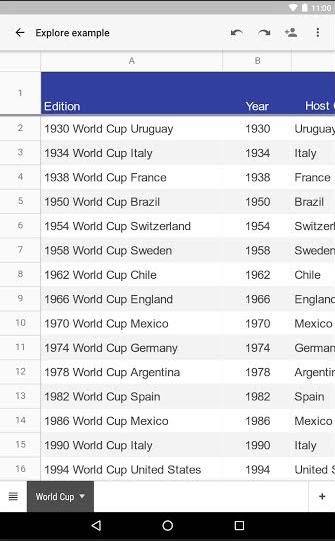
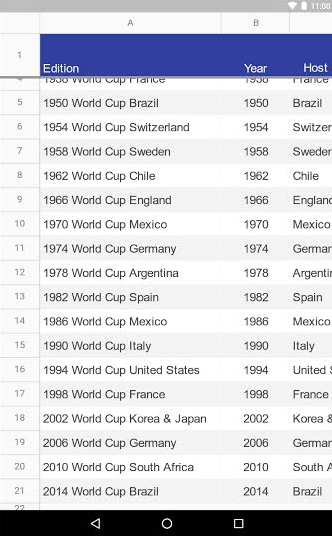
  • View more content at one time in Sheets - Now, when you scroll down or zoom in on a spreadsheet, we’ll hide your toolbars and headers so that you can see more of your content on the screen at one time. To bring those toolbars and headers back, simply scroll up or zoom out.
  
  • View existing filters in Sheets - If you apply filters to your data in Sheets on the web, those filters will now appear in the Sheets Android app as well (previously, you might not have known that you were viewing filtered content).

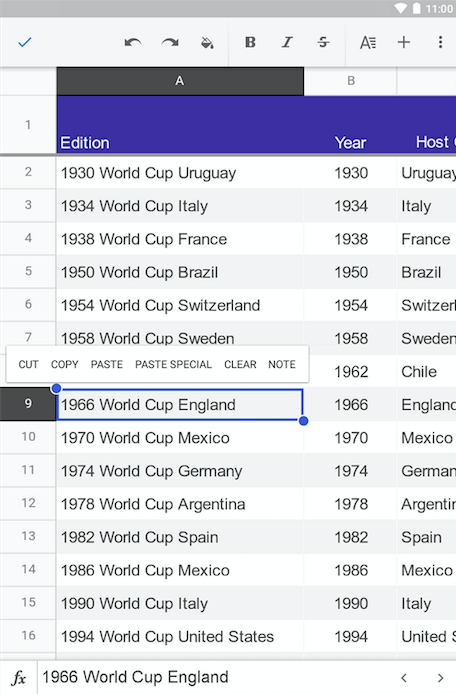
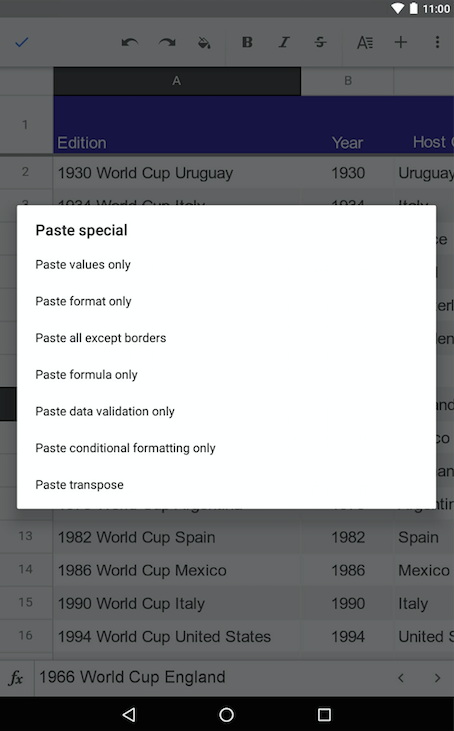
  • Paste only values, formatting, and more in Sheets - Already available in Sheets on the web, the Paste special feature in the Sheets Android app allows you to copy content and then paste only the associated values, formatting, formula, data validation, or conditional formatting. You can also paste everything but borders or paste your content in a transposed order.
  
  • Hyperlink text and shapes in Slides - You can now insert new and edit existing links in your presentations directly from the Slides Android app toolbar and context menu.

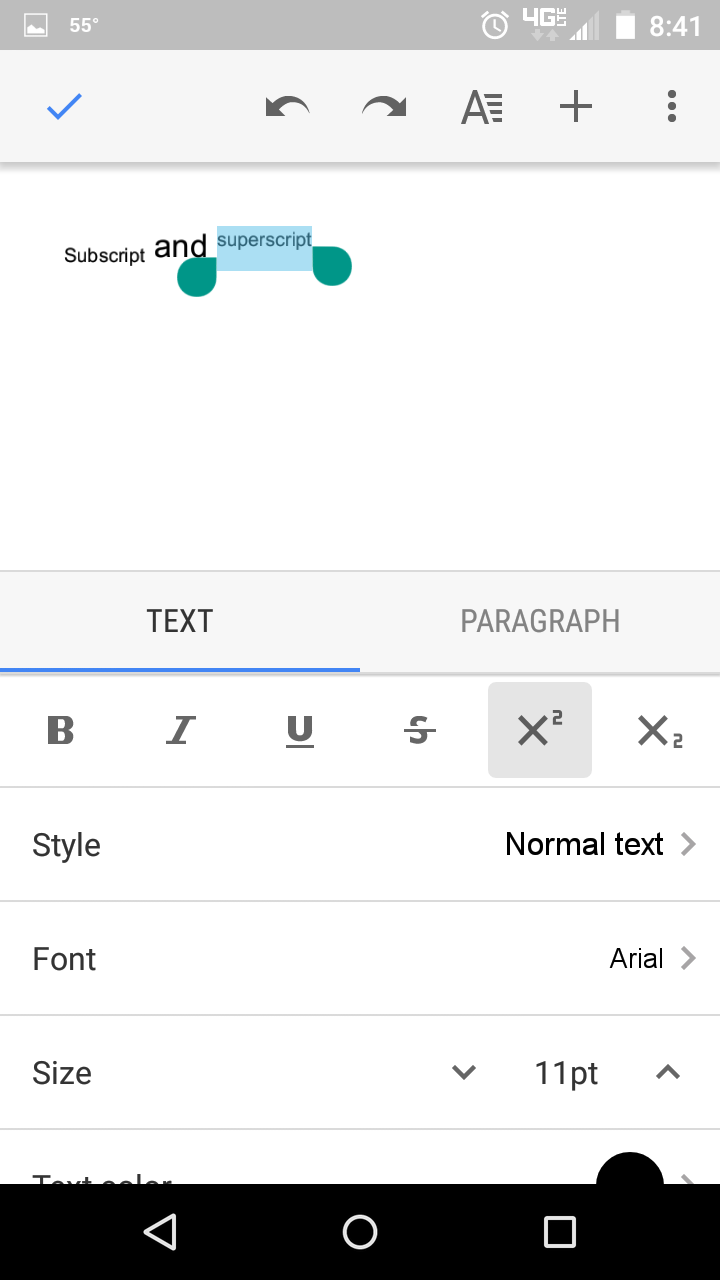
  • Use superscripts and subscripts in Docs and Slides - Create superscript and subscript text in the Docs and Slides Android apps using the text formatting palette.

Launch Details
Release track: 
Launching to both Rapid release and Scheduled release

Rollout pace:
Gradual rollout (potentially longer than 3 days for feature visibility)

Impact:
All end users


Tech Tip Tuesday - 3 Helpful Extensions, Part 4


Have you discovered extensions yet?  The purpose of an extension is that it will extend the functionality of a web page.  They are available in the Chrome web store, and most of them are FREE.  Once you install an extension, it will appear at the top right corner of the Chrome browser.  Each Tuesday, I will introduce three new extensions that I find helpful and I hope you do too.  


Auto Text Expander

This FREE extension will allow you to save commonly typed phrases into short keystrokes to save you time from typing.  I find myself using it all the time. It is easy to use.  All you have to do is type your phrase and assign it a shortcut, as shown below.  Simply add your keyboard shortcut to correspond to the phrase and click on 'Save'.


This FREE extension will allow you to take screen shots or recordings of anything that is on your screen.  It will integrate with your Google account and the screen shots or recordings will be saved in a folder on your Google Drive.


This FREE extension will block most ads that appear in your browser.  I highly recommend it!